Stay safe on public WiFi with your own VPN.
Public WiFi exposes your data, and traditional VPNs still route traffic through third-party servers-leaving gaps in privacy and reliability.
Use your own network instead.
Overview
On public WiFi, your connection is exposed. Data can be intercepted. Access can be restricted. Even with a VPN, your traffic is still routed through shared infrastructure. That means slower speeds, inconsistent performance, and connections that can be flagged or blocked.
HomiPlay changes that. It connects you directly back to your home network-no third-party routing.
🥷 No exposure: Your connection is not exposed on public networks or shared nodes
🔐 Private by design: Your data stays within your own network
⚡ Stable and consistent: No shared infrastructure, no unpredictable slowdowns
Benefits
Stay logged in and use services safely on public WiFi
Skip paid VPN services-just use your own network
Access websites and services without getting blocked
Enjoy a consistent connection, without sudden drops
Setup Steps
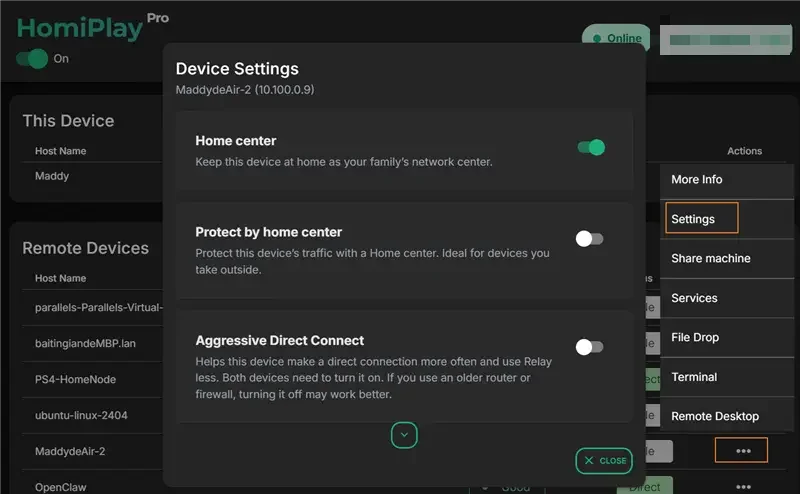
Enable Home Center Mode at Home
Before you travel, enable the "Home Center" mode in the HomiPlay settings on an always-on device at your home (such as a desktop PC).
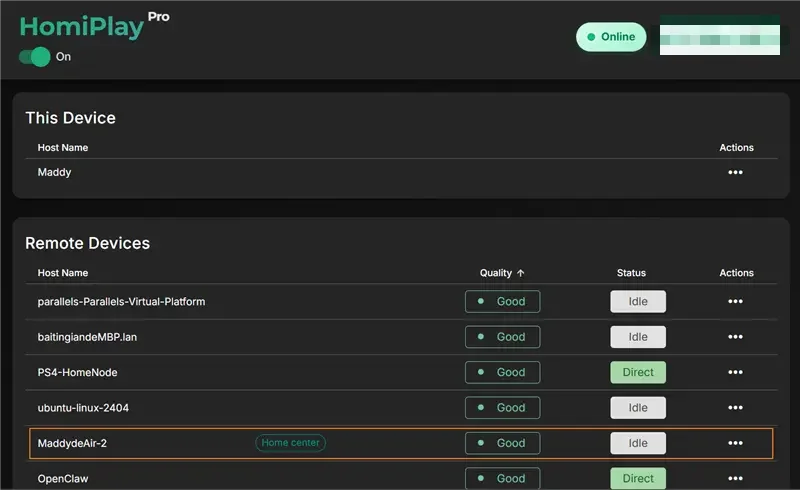
Verify Connection Status
Ensure the designated Home Center device is logged into your HomiPlay account and remains online.
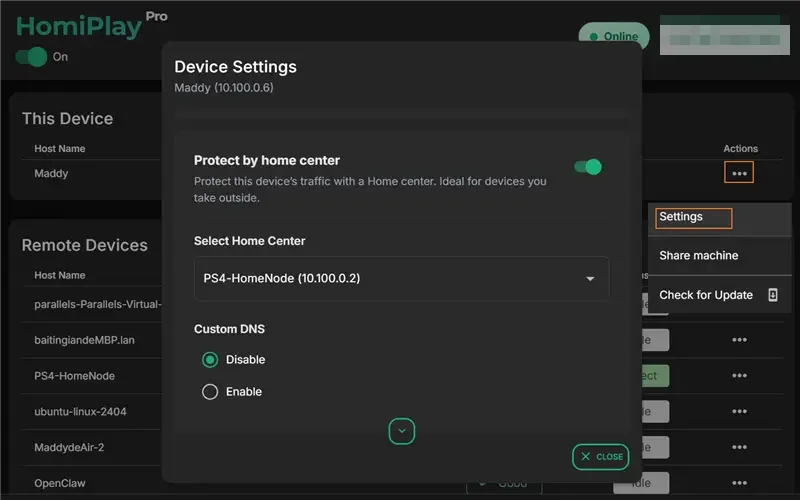
Enable Protect by Home Center on Your Portable Device
When you need secure internet access abroad, open HomiPlay on your laptop or phone, select your home device as the Home Center, and activate the "Protect by Home Center" feature.
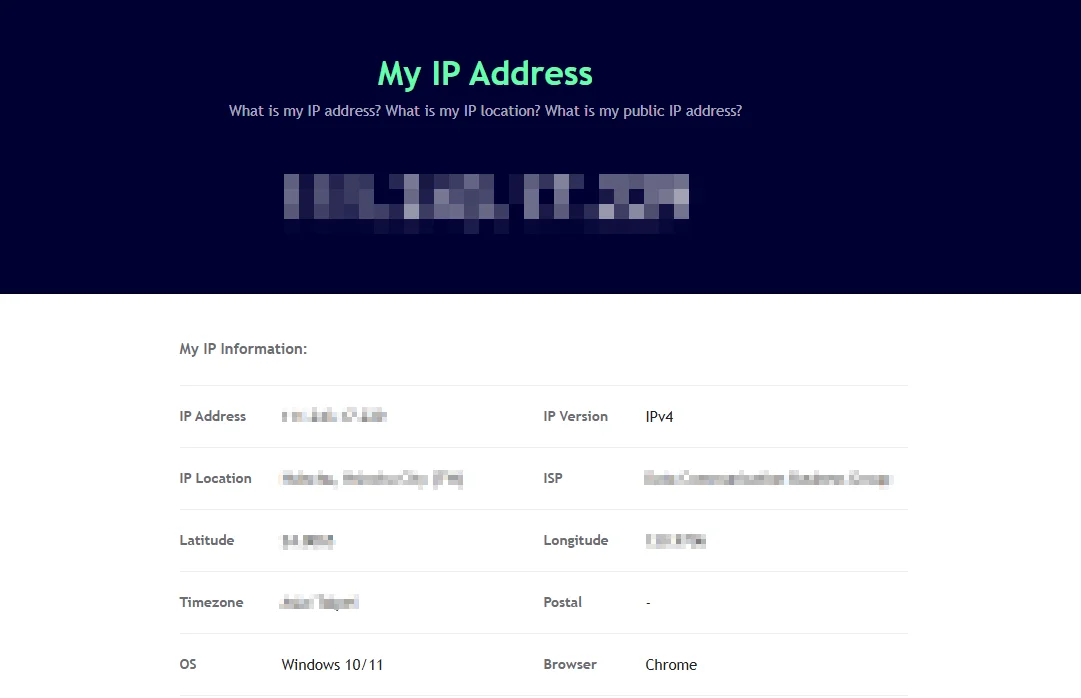
Browse Securely
Once connected, all your external network traffic is safely routed through your home network, allowing you to securely use online banking or stream local content.
Other Use Cases
Share Devices Across Locations and Collaborate Without Distance
Temporarily share a Windows, macOS, Linux, or other HomiPlay device with a specific user without handing over account credentials. Access expires automatically when the sharing period ends.
Learn MorePlay your PS5 remotely just like you're at home.
Connect faster, play without lag, and enjoy clear visuals.
Learn MoreAccess Your Home OpenClaw AI Workspace Remotely
Securely connect back to your home OpenClaw, local LLMs, and AI agents with no VPN, fixed IP, or port forwarding.
Learn MoreCross the screen boundary, seamlessly continue your unfinished work
Extend your office workstation's performance directly to the screen in front of you. Without changing any of your habits, elegantly and perfectly merge your workflows across locations in a full desktop environment.
Learn MorePut your entire PC in your pocket, handle important tasks anytime with a tap
A remote experience redefined for touch screens. Break device boundaries and turn your phone into your exclusive portable window. Check progress, reply to messages, and master remote control with one hand, anytime, anywhere.
Learn MoreSay goodbye to tedious transfer processes, cross-screen file management should be this intuitive
Integrate local and remote folders with a familiar dual-pane management interface. Whether it's large project files or batch folders, easily complete synchronization through a blazing-fast and secure channel.
Learn MoreForgot your cable? Bridge your phone and PC data in a second
Your cloud briefcase in your pocket. Instantly send recorded media from your phone to your PC for editing, or download presentations from your remote PC to your phone for review. Data flows without barriers.
Learn MoreAccess Your Home NAS via HomiPlay
Securely and quickly access files, photos, and multimedia on your home NAS from anywhere.
Learn More